Novaluxia PH Top-Up, Wallet and Points: How Money Moves in the App
Top-Up and Withdrawal sit side by side on the account screen, and this guide follows both paths plus the points that arrive after an order: how earning works, what the Points Mall redeems, and where every balance can be checked inside the app.
You topped up, or you are about to, and one question is sitting there: where does the money actually go, and how do the points fit in? Both answers live on the same account screen. This guide follows the Novaluxia wallet from the cashier to the balance, then follows the points from an order to the Points Mall, using the screens the app publishes so you can trace every step yourself.
Two paths run out of one wallet. Top-Up puts money in, Withdrawal sends it to the bank card bound to your account, and the points collected along the way are spendable on vouchers, products and cash. Read the three parts in order and the whole system stops feeling like a maze.
What the account screen shows#
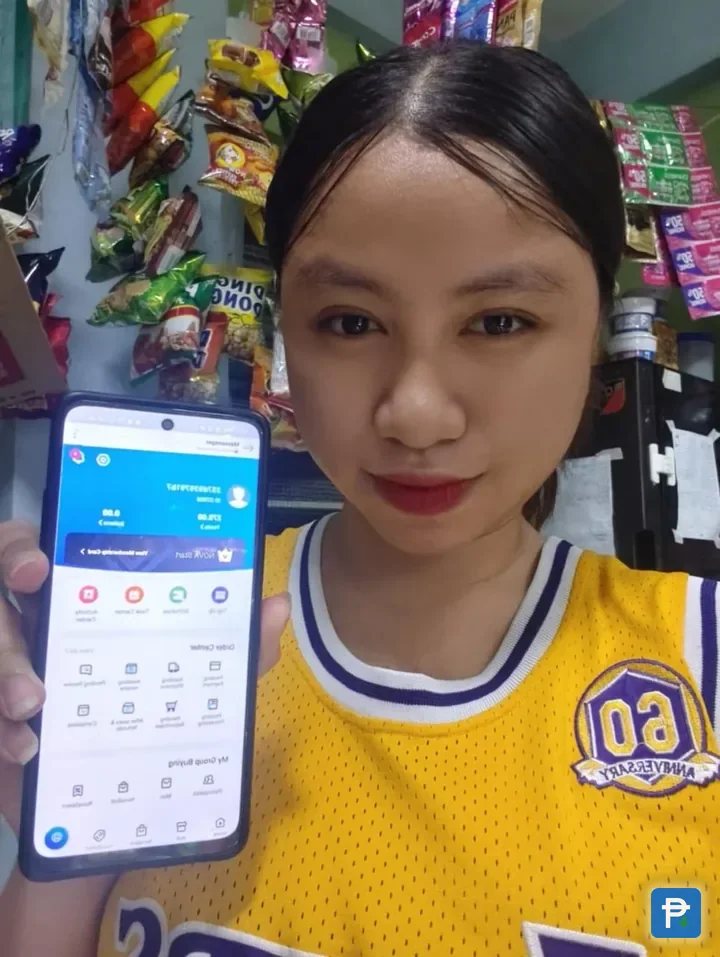
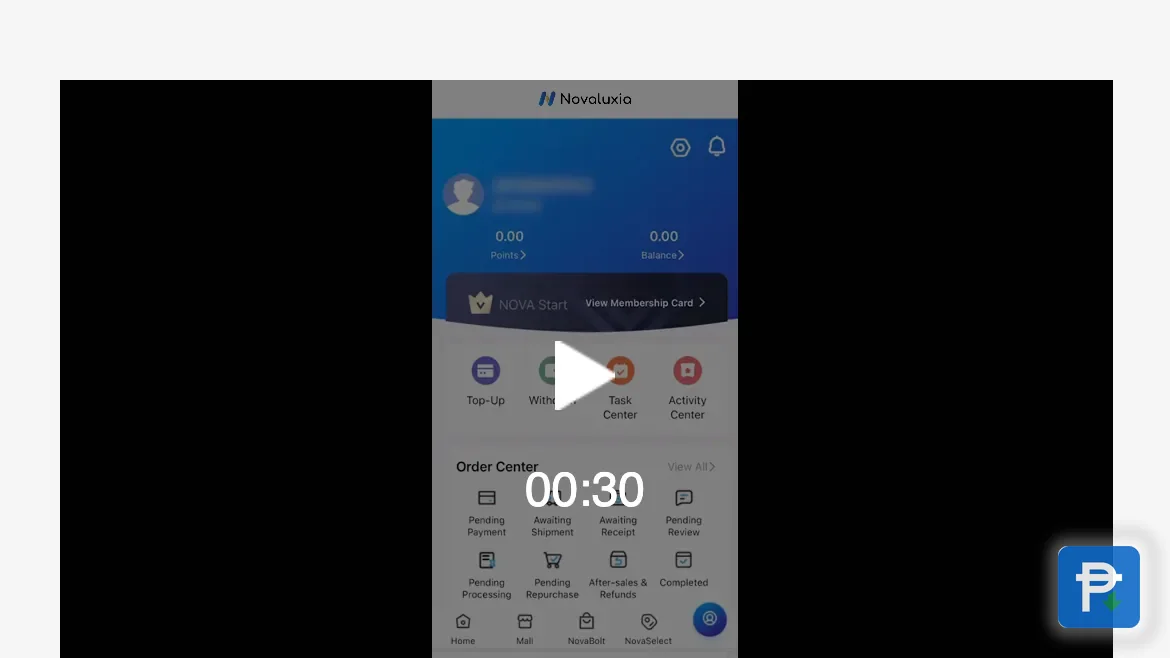
Open the account screen and the wallet is the first thing to note. Top-Up and Withdrawal sit side by side, which tells you the shape of the system before you touch it: loading money and taking money out are two buttons on one screen, not two separate services.
That layout is deliberate and it is the app's own. The account screen also carries the order centre, the verification status and the points entry, so the balance, the orders and the rewards all sit within a tap or two of each other. When people ask where their money sits in the app, the honest answer is the simplest one: it sits in the wallet shown on that screen, with a top-up record behind it.
A wallet built this way is easy to keep tidy. Load only when you are about to order, keep the balance small, and let the screen show you where everything stands. That is the habit we use, and it pairs naturally with a group buy campaign price you have already decided to pay.
The wallet also sits inside a platform with an open record. Novaluxia reports 105+ merchant partners, 3M+ group-buy sales and 99% positive feedback, Innoventure Global Partners Ltd provided the incubation, and the local operation runs from a Makati regional headquarters with its own warehousing and support team. The screens in front of you belong to a company you can look up in public.
Where your top-up goes#
A Novaluxia top up runs through the in-app cashier. You choose the amount and the payment channel offered in the app, complete the payment, and the amount lands as a wallet balance on the account screen. The top-up is recorded, so the payment and the balance it created can both be opened again later. Keep the transaction inside the app and that record stays with you.
A few practical notes make the flow smoother:
- Top up the amount you are about to use. There is no reason to carry a large balance between orders, and a wallet kept close to the next purchase is easier to read at a glance.
- Check the balance on the account screen before checkout, not after. The number the screen shows is the number the next order will use.
- Use the official route every time. The cashier inside the official app and the official web store are the two places a top-up belongs. The app identifiers to match are package
uni.UNI7878C48on Google Play and id6746707874on the App Store.
That is the whole top-up story: a payment, a balance, a record. The withdrawal explainer covers the other direction for the day you want to send money to your bank, and it follows the same verification-first logic.
How points are earned#
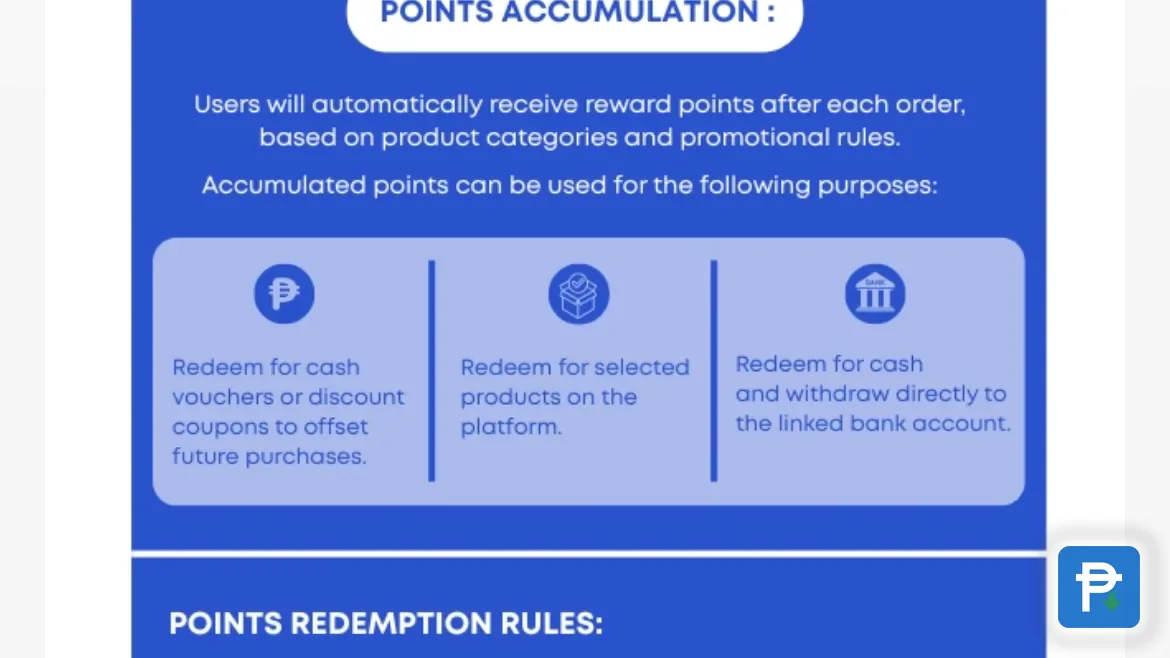
Novaluxia points are a reward that follows an order rather than a separate currency you buy. The screen titled How Points Are Earned sets out both halves: points land after purchases, calculated on product categories and the promotional rules shown in the app, and the same screen lists what they can be spent on.
Daily Tasks and campaign participation add to the balance as well. That is how the four platform features fit together: NovaBolt campaigns bring the orders, the Points Mall spends the rewards, Daily Tasks turns a quick check-in into points, and My Team handles the community side. The points balance updates in the app, and the app's own wording moves each credit from Pending to Received, with a Points Release Schedule underneath so you can see when the next batch is due.
Two mechanics are worth knowing early:
- The daily purchase cap, which limits purchases to 5 products per day at each price tier. Points follow orders, so a big multi-item day still respects that cap.
- The earning basis. Points are tied to categories and promotions, which means two orders at the same amount can earn differently. The listing and the points screen are where the current basis is printed.
Spending points in the Points Mall#
The Points Mall is where the balance turns back into something useful, and it publishes three redemption paths: a cash voucher or discount coupon that reduces a future purchase, a selected product on the platform, and cash paid out to a linked bank account. Everyday vouchers are the busiest part of the shelf, and they lean local. Pickup Coffee vouchers run at 50, 100 and 300 points, a KFC voucher at 200 points, and the line-up extends to Grab, Burger King, Coffee Bean and more.
Every listing prints its own points price before you redeem, so the value is never a guess. When we checked in September 2026, a ₱50 voucher took 50 points, roughly ₱1 per point, and we use that as a benchmark rather than a rule: different merchants can price their vouchers differently, so the listing in front of you is always the figure that counts. The full points-value breakdown goes deeper on the exchange rate and the vouchers we compared.
Two published limits keep redemptions orderly: one redemption application per day, and a cap of 90% of your points balance on a single redemption. Read the points price, keep a voucher you will genuinely use, and the mall is the least demanding corner of the app.
Redemptions and where to verify balances#
A redemption leaves a paper trail in the app. The order detail screen for a completed redemption shows the order number, the status and the points deducted, so the record of what you spent is there whenever you want it. Higher-value redemptions, along with every cash-out path, pass through real-name verification: an accepted Philippine ID, from a passport or UMID to a Postal ID, National ID or TIN ID, plus a bank card bound to the account. The cash-out rail behind that binding runs over the published Security Bank partnership announced on 20 May 2026. Finishing verification early means a redemption is ready the moment you tap it.
If anything looks stuck, the checks work in a fixed order. Open the verification section and confirm it reads complete and the ID is still valid today. Check that the bank card displayed is one you still hold. Then open the voucher or product listing and confirm it is still in stock, since campaign vouchers are limited and do sell out. Those three cover nearly every ordinary case, and whatever they leave open belongs with the in-app support channel, which can view the account and act on it.
Balances are easy to verify at any time: the wallet and points balances on the account screen, the credit history on the points screen, and the redemption record on the order detail screen. Three screens, all inside the app.
Paying outside the app: how the tricks work#
The wallet is also the place where a fake seller will try to meet you. The pattern is always the same: someone on a social page offers to top up your wallet for you, quotes a discount for paying through a personal GCash number or a bank deposit, or says they can "reserve" a campaign slot if you send money now. Some push a lookalike app or a file sent through chat, then ask for an OTP to "confirm" the top-up. None of it is the platform. The official cashier is inside the official app, and no legitimate top-up needs a code handed to a stranger.
Two habits settle it. First, install only from the store listing you found by searching, and match the identifiers above. Second, keep every peso inside the app: a top-up completed there produces a balance and a record, while money sent to a person produces neither. The fake apps and pages guide has the full check, including the first steps to take if a payment has already gone somewhere else.
The rest of the wallet is straightforward, and it is built to be watched: balances on the account screen, points with a release schedule, redemptions with order numbers, and a cash-out path that ends at your own bank card.
Next#
- The platform in the background: what is Novaluxia?
- What every order status means: order tracking in the Philippines
- The full 2026 assessment: our Novaluxia review
- Every review and check we keep: the reviews hub
What we checked, and when#
- The wallet layout (Top-Up beside Withdrawal), the points earning rules, redemption paths and redemption limits: read on the account, points and guide screens in the app, 2026-09-18.
- Voucher points prices (Pickup Coffee 50, 100 and 300; KFC 200; Grab 500) and the ₱1 per point benchmark: from listings inside the Points Mall, checked 2026-09-18.
- The daily purchase cap and the pending-to-received points wording: from the campaign rules and points screens in the app, 2026-09-18.
- Store identifiers and official channels: from the Google Play and App Store listings and the official sites, 2026-09-18.
Points pricing, voucher stock and verification requirements can all change, so open the live listing before you redeem. Our recommendation is simple: finish verification early, keep the wallet balance small, redeem vouchers you will really use, and keep every top-up inside the official app.
Quick answers
- Where does my Novaluxia top-up go?
- It lands in the wallet balance on your account screen, the same screen that lists Withdrawal directly beside Top-Up. The top-up runs through the in-app cashier, so the payment and the balance it creates both stay on a record you can open again.
- How do I earn Novaluxia points?
- Points arrive after orders, calculated on product categories and the promotional rules shown in the app. Daily Tasks and campaign activity add to the balance, and the How Points Are Earned screen sets out both the earning side and the three ways to spend what you collect.
- What can I redeem in the Points Mall?
- Three paths are published in the app: a cash voucher or discount coupon for a future purchase, a selected product from the platform, and cash sent to a linked bank account. Everyday vouchers from local brands are the busiest part of the shelf, and each listing prints its own points price.
- How do I check what my points are worth?
- Open the listing and read its points price against the voucher value. When we checked in September 2026, a ₱50 voucher took 50 points, roughly ₱1 per point, and the listing itself is always the figure that counts.