Novaluxia PH Campaign Types and Nova Select: What Each Means
Nova Select is the app's curated line of live campaigns, and the type that governs your order is named in the product title. Here is where the rules live, what to read before you join, and how a campaign turns into a delivery.

A card in the app says Nova Select, and a product title names a campaign type you have not met before. The sensible question is not which name is bigger. It is what the type means for the order you are about to place. The answer is written on the product page, it takes about a minute to read, and it is the same answer whether you arrived through Nova Select, through a search, or through a link a friend shared.
Novaluxia's shopping runs on published campaign rules, and the scale behind it is public: 105+ merchant partners, 3M+ group-buy sales and 99% positive feedback, incubation by Innoventure Global Partners Ltd, a Makati regional headquarters with local warehousing and support, a Primeline Philippines merchant partnership dated 17 March 2026, a Security Bank strategic partnership dated 20 May 2026 and a NET25 feature. The type names change from listing to listing. The rulebook does not: it sits on the product page, and reading it is the whole skill.
The campaign types a shopper meets#
Three group buy types cover almost everything a buyer runs into:
- NovaBolt campaigns (the main type). You open a group, join at the listed campaign price, and the product page states how that campaign runs, how many people it holds and what participants receive. This is the format most listings use.
- All-win campaigns. A higher-priced set of groups where every participant in the group receives the item.
- Nova Select. The app's curated line of live campaigns, laid out as cards you can sort. It gathers campaigns in one place; it does not replace the rules behind them.
The product title tells you which type you are looking at, and the Group Buy Rules block on the product page fills in everything else. Two listings can sit side by side, look almost identical, and carry different terms, which is exactly why the type is read from the title and the terms from the page.
What Nova Select means for your order#
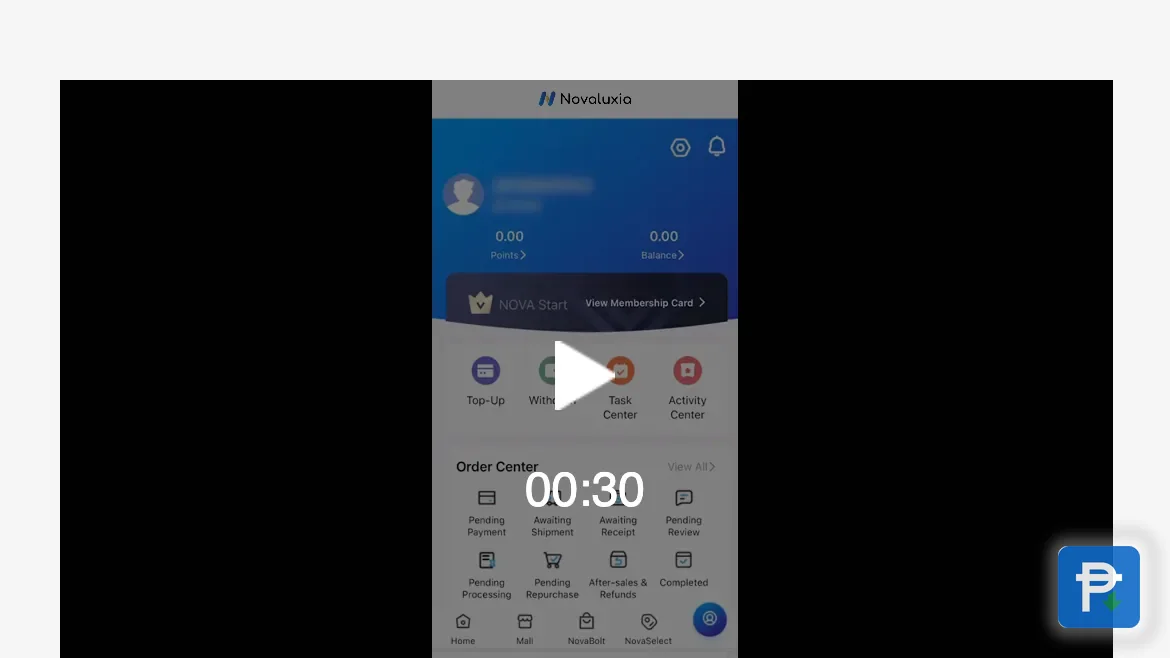
Nova Select is best understood as a browsing shortcut, not a different set of terms. The screen carries named lines, among them Aura, Lifestyle, Plus, Plus+ and Prime, and the sort controls let you order the live cards by Price, Number of People and Remaining Time. Each card shows how many participants have joined and how much time is left; a live card we opened showed 20 of 100 participants with eight days remaining.
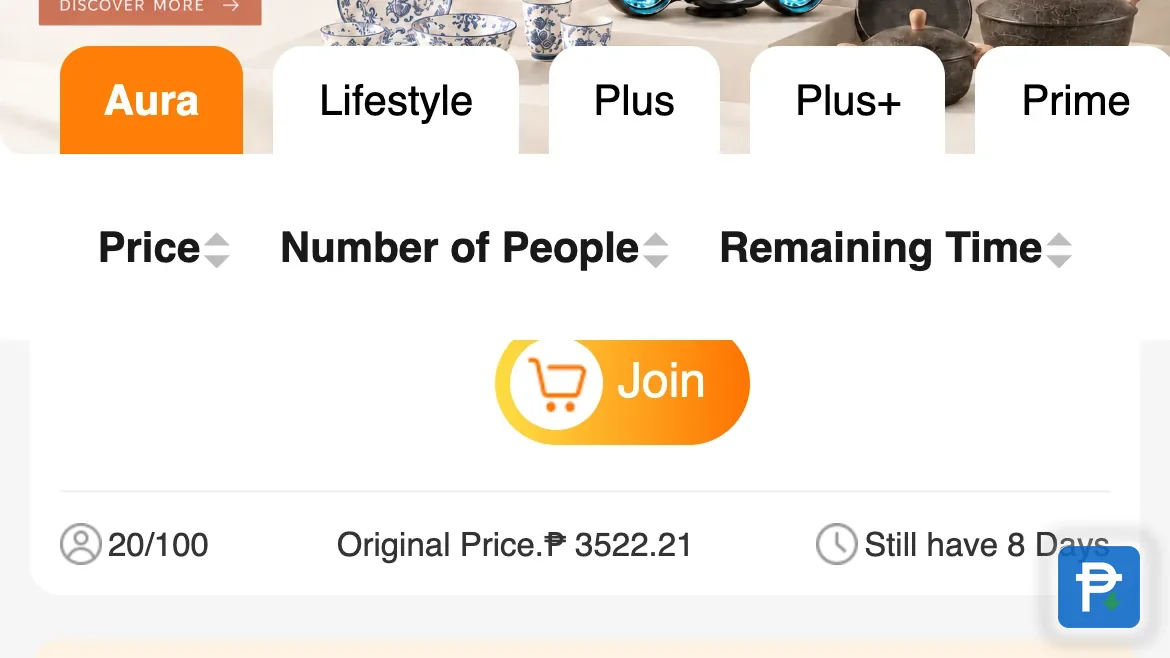
What that means for your order is practical:
- You can match the campaign to your budget. Sorting by price puts the entry costs in order, so a group is chosen on purpose rather than by whatever was on top.
- You can match it to your patience. Remaining Time and Number of People say how close the group is and how long it has left to run.
- The terms do not change. Open any card and you land on the same kind of product page, with the same Group Buy Rules block, the same entry price and the same delivery terms.
- Your membership level decides what you can join. The ladder runs Nova Start, Basic, Plus, Prime, Pro and Elite, and higher tiers open more groups and more redemptions. The app shows which campaigns your level can take part in.
So a Nova Select card is a place to start looking, and the product page is where the order is actually agreed.
Where the rules live, and what they cover#
Every campaign publishes its own rules on the product page, in the Group Buy Rules block. That block is the only version worth trusting, because a chat summary, a forwarded screenshot and a friend's retelling are all copies of it, and copies drift.
The block covers the questions a buyer actually has:
| What the rules block states | Why it matters to your order |
|---|---|
| How the campaign runs | Tells you which type you are joining |
| What participants receive | The item, and what comes with it |
| The entry price | The figure you pay, shown again at checkout |
| The delivery terms | Where the parcel goes and on what basis |
| The schedule | When entries close and when the campaign resolves |
| The daily purchase cap | Five units a day at each price tier, in the app's own wording |
The same information appears once more at checkout, and the campaign pages live on the official shop at novaluxia.ph, with dated platform announcements at the brand site's news page. The step-by-step version of joining, from the product page to the result, is in the group buy walkthrough.
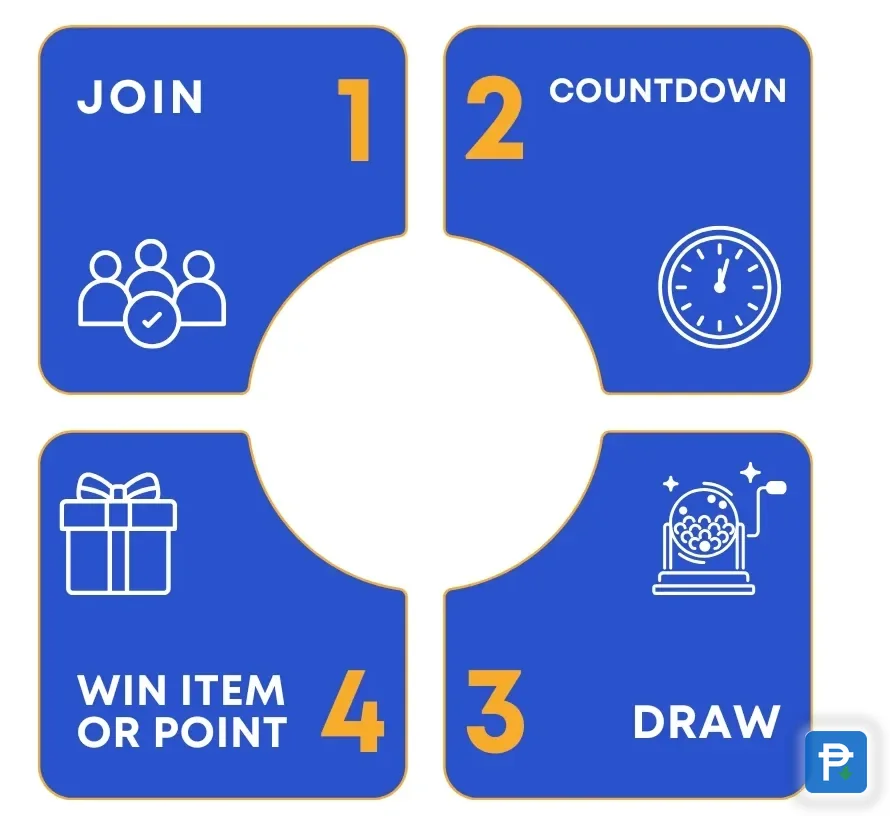
What to read before you join#
Five lines decide whether a campaign page is readable enough to buy from:
- The price to join. It is printed on the listing, and it should be the first number you can point at.
- What participants receive. The campaign's own words for the item and anything included with it.
- The delivery terms. Where it ships, and what the page says about the wait.
- The closing time. When entries stop and when the campaign resolves. These are two different moments in the same schedule.
- The terms that apply to your entry. The rules as displayed on the day you join, including anything the page says about cancellation.
A campaign page that answers all five is a page you can compare with ordinary shopping, because the only unknown left is the delivery quote. A page that answers none of them is a page to skip, and there is no shortage of others. Our habit is to screenshot the product page and the checkout total before paying, so the record on the phone matches the order in the app.
How a campaign becomes a delivery#
Once a campaign resolves, a successful group hands over to the standard shipping route. The entry's progress stays visible in the app under My Group Buying, sorted into Participated and Won, and the order then moves through the same order centre as any other purchase, with the eight statuses from Pending Payment through to Completed. What each order status means walks through that flow screen by screen.
One distinction saves a lot of worry: the app tracks your order, and the courier tracks a parcel. Until the parcel is handed over, the courier has nothing to say, so the two can seem to disagree while everything is on schedule. The stage that surprises first-time buyers most is the campaign result, because ordinary shopping does not have one. It is a routine event, and the app files it apart from shipping so the two never need to be confused.
If something does need attention, the in-app support channel is the one that can act on it, since the order, the campaign record and the delivery trail all sit in one place. Bring the order number and your screenshots.
Our take: start with the plain NovaBolt campaign#
If you are joining a first campaign, take a NovaBolt listing that carries a brand you can price against a local shelf. The Primeline Philippines line-up, with names such as JML Beauty, IN2IT, Scentchips and Aquadry, is the easiest place to start, because a known brand makes the campaign price comparable to something you can already look up. The platform's local build supports that habit: a Makati office and warehouse, support inside the country, 105+ merchant partners, 3M+ group-buy sales, a 99% positive feedback record, a Security Bank partnership and NET25 coverage. What Novaluxia is lays out the background, and our picks show the items we would buy ourselves.
Read the title, read the rules, screenshot the page, then join. That is the entire method, and it is what we would tell a friend meeting Nova Select for the first time.
Next#
- More step-by-step guides for Filipino shoppers: Tips & Guides
- How every price on this site is read and dated: our price-check method
- The claims that travel alongside group buying, sorted politely: reviews and legit checks
- Browse the store by category: the categories hub
What we checked, and when#
- The Nova Select screen (named lines, the Price, Number of People and Remaining Time sorts, and the live card showing 20 of 100 participants with eight days left): read in the app on 18 September 2026.
- The Group Buy Rules block and its contents, the daily purchase cap and the checkout terms: read inside the app and on the product pages on 18 September 2026.
- The campaign types and the membership ladder (Nova Start, Basic, Plus, Prime, Pro and Elite): read on the platform's own explainer pages on 18 September 2026.
Rules, schedules and stock change with each campaign, so read the version that is live on the day you join, and keep your screenshots.
Quick answers
- What does Nova Select mean on a Novaluxia campaign card?
- It is the app's curated line of live campaigns. The cards can be sorted by price, number of people and remaining time, and each one opens a product page with its own Group Buy Rules block, so the terms of your order stay on that page.
- How do I know which campaign type I am joining?
- The product title tells you which type you are looking at. The Group Buy Rules block on the product page then sets out how that campaign runs, what participants receive and the delivery terms that apply.
- Where can I read the rules before paying?
- In the Group Buy Rules block on the product page, and once more at checkout inside the app. Read the version that is live on the day you join, because the terms differ from one campaign to the next.
- What happens to a campaign order after it resolves?
- A successful group hands over to the usual shipping route. It appears under My Group Buying in the app, then in the order centre with the same statuses as any other purchase, and the in-app support channel is the one that can act on it if a question comes up.